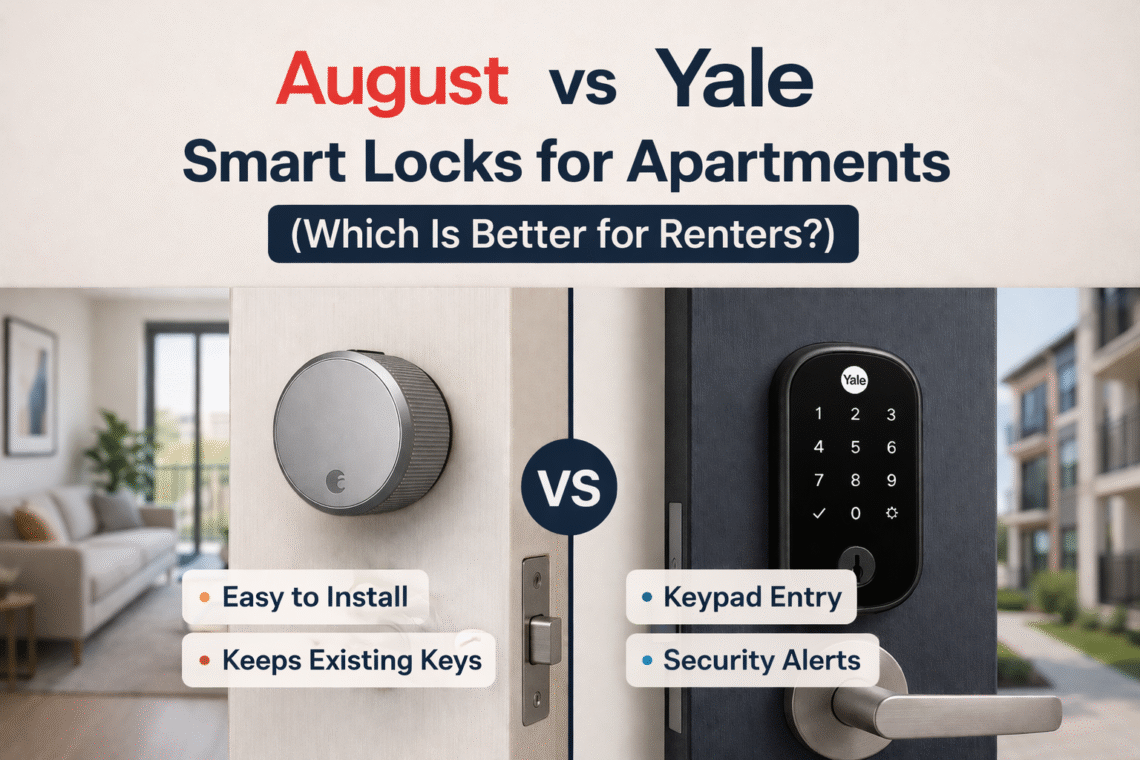
August vs Yale Smart Locks for Apartments (Which Is Better for Renters?)
Standing at your apartment door, balancing groceries while finding keys. Why don’t I go for a better way? Smart locks are so common now. They solve that exact problem and you can unlock your door without keys.
Two of the most popular options renters consider are August and Yale smart locks. Both brands offer secure and feature-rich locks. However, they take very different approaches.
Here’s a renter-focused comparison of August vs Yale smart locks to help you decide which one fits apartment living better.
Key Differences Among August vs Yale Smart Locks
The biggest difference between August and Yale smart locks is how they install and how renter-friendly they are.
- August locks retrofit your existing deadbolt, meaning you don’t replace the exterior hardware.
- Yale locks replace the entire deadbolt, functioning like a completely new smart lock system.
For renters who cannot modify doors permanently, this difference alone can determine the better choice.
August Smart Locks
August built its reputation around retrofitting smart locks. That’s why they are extremely popular among renters. With August smart locks, you don’t have to replace your entire lock. It installs on the inside portion of your existing deadbolt and you don’t have to change the landlord’s hardware.
Key Features
- Retrofit installation on existing deadbolts
- Auto-unlock when you approach the door
- DoorSense technology (detects if the door is open or closed)
- Activity logs showing who entered and when
- Smart home compatibility with Alexa, Google Assistant, and Apple HomeKit
- Remote control using the August Wi-Fi bridge
Why August Is a Good Choice for Renters
- August offers easy installation. You just need a screwdriver to set up this lock within 15 minutes. Because the exterior lock stays the same, landlords usually allow it.
- You can also remove the lock and take it with you when moving apartments.
- Features like auto-unlock and DoorSense make daily apartment access extremely convenient.
Downsides for Renters
- August locks have heavy app dependence. If you don’t install a keypad accessory, guests must download the app to unlock the door.
- These locks have extra cost for remote access. Many models require the August Connect Wi-Fi Bridge to control the lock from outside the home.
- They have short battery life as compared to their competitors. August locks use four AA batteries and typically last 3–6 months, which is shorter than many competitors.
Yale Smart Locks
Yale is one of the oldest lock manufacturers in the world. They have over 180 years of experience in physical security. Their smart locks combine traditional lock hardware with modern smart home technology. The most popular model is the Yale Assure Lock series, which offers keypad entry and optional smart modules.
Key Features
- Keypad entry with customizable passcodes
- Optional Wi-Fi, Bluetooth, or Z-Wave modules
- Voice assistant support
- Remote access via Yale Access upgrade kit
- Door-ajar alerts and activity logs
- Durable ANSI/BHMA graded lock hardware
Why Yale Can Be a Good Choice for Renters
Yale offers strong hardware security. Its locks are known for high-quality mechanical components. These are very secure. Unlike August setups, Yale includes a built-in keypad. This makes it easier for guests to apply code and get in. Yale locks run up to one year on four AA batteries, making them budget friendly. With optional modules, Yale locks can integrate with:
- Alexa
- Google Home
- Apple HomeKit
- SmartThings
Downsides for Renters
- Yale locks replace the entire deadbolt, which some landlords may not allow.
- Features like Wi-Fi control or automation may require extra modules or upgrade kits, increasing the total cost.
- Installing a Yale lock takes longer than installing an August retrofit lock.
August vs Yale for Apartments: Side-by-Side Comparison
| Feature | August Smart Lock | Yale Smart Lock |
| Installation | Retrofit on existing deadbolt | Full deadbolt replacement |
| Best for renters | Very renter-friendly | Depends on landlord approval |
| Battery Life | 3–6 months | Up to 12 months |
| Remote Control | Requires Wi-Fi bridge (some models) | Requires Wi-Fi upgrade kit |
| Guest access | App-based or optional keypad | Built-in keypad |
| Smart home compatibility | Excellent | Excellent (with modules) |
| App experience | One of the best | Good but simpler |
Cost Comparison
Pricing varies by model, but their typical starting points are:
| August | Yale |
| August Smart Lock Gen 3 is about $149 | Yale Assure Lock SL is about $169 |
| August Smart Keypad is about $60 | Yale Access Wi-Fi Upgrade Kit is about $129 |
Which Smart Lock Is Better for Renters?
| Choose August If | Choose Yale If |
| You want a lock that doesn’t replace your existing deadbolt | Your landlord allows lock replacement |
| You plan to move apartments frequently | You want a built-in keypad for guests |
| You want quick and simple installation | You prefer strong hardware security |
| You prefer advanced app features and automation | You want longer battery life |
Best August vs Yale Smart Locks
For renters, August can sometimes be cheaper overall, especially if you only need basic features.
August Smart Locks (Top 3)
1. August Wi‑Fi Smart Lock
Best all-in-one August lock. August locks generally rely on the phone’s fingerprint or face authentication instead of a built-in scanner.
Access methods
- Smartphone app
- Keypad code (with optional keypad)
- Fingerprint unlock through phone biometrics
Key features
- Built-in Wi-Fi (no bridge required)
- Auto-lock and auto-unlock
- DoorSense door status detection
- Activity logs and guest access
- Works with Alexa, Google Assistant, and Apple HomeKit
Pros
- Installs over existing deadbolt, so landlords usually allow it
- Setup takes about 10 minutes
Cons
- No built-in fingerprint scanner on the lock itself
- Battery life shorter than some competitors
2. August Smart Lock Pro
August Smart Lock Pro is best for smart home automation. It access methods are
- Phone app
- Optional keypad entry
- Smartphone fingerprint/Face ID authentication
Key features
- Z-Wave and HomeKit support
- Auto-unlock when you approach
- DoorSense door detection
- Remote access (with Wi-Fi bridge)
Pros
- Works with many smart home systems
- Strong automation capabilities
Cons
- Requires Wi-Fi bridge for remote control
- Bulkier design
3. August Smart Lock (3rd Gen)
It is the best budget option in the August Smart Lock series. The access methods include
- Phone app unlock
- Optional keypad codes
- Smartphone biometrics
Key features
- Bluetooth connectivity
- Guest access sharing
- Activity history
Pros
- Cheapest August lock
- Very easy installation
Cons
- Remote access requires Wi-Fi bridge
- Older design
Yale Smart Locks (Top 3)
1. Yale Assure Lock 2 Touch
Fingerprint unlocking is one of the fastest entry methods and eliminates the need for keys or codes. Yale Assure Lock 2 is the best fingerprint smart lock. The access methods include
- Fingerprint scanner
- Keypad PIN code
- Smartphone app
- Physical key
Key features
- Fingerprint unlock with <0.5 second recognition and high accuracy
- Supports up to 250 entry codes and multiple fingerprints
- Works with Alexa, Google Assistant, HomeKit, and SmartThings
- Activity history and alerts
Pros
- Built-in biometric fingerprint reader
- Very strong security hardware
- Multiple access options
Cons
- The touchscreen keypad can be hard to see in bright sunlight.
- Requires replacing your existing deadbolt
2. Yale Assure Lock 2 Keypad
This one is the best keypad smart lock. Its access methods include
- Keypad codes
- Smartphone app
- Optional physical key
Key features
- DoorSense door monitoring
- Remote locking and unlocking
- Temporary guest codes
Pros
- Simple keypad entry for guests
- Good battery life
Cons
- No fingerprint scanner
- Requires full lock replacement
3. Yale Assure Lock SL
Yale Assure Lock SL offers you no searching for keys anymore. It comes with the best sleek touchscreen lock. The access methods include
- Touchscreen keypad
- Smartphone app
Key features
- Minimalist keyless design
- Custom PIN codes
- Remote control with Wi-Fi module
Pros
- Clean modern look
- Easy guest access codes
Cons
- No fingerprint unlock
- No physical key backup
Which Brand Is Better for Renters?
| Choose August If | Choose Yale If |
| You want easy installation | You want built-in fingerprint scanning |
| You cannot replace the lock hardware | You prefer keypad entry without accessories |
| You move apartments often | Your landlord allows replacing the deadbolt |
In Short
- Best fingerprint lock: Yale Assure Lock 2 Touch
- Best renter-friendly lock: August Wi-Fi Smart Lock
- Best keypad smart lock: Yale Assure Lock 2 Keypad
Best Smart Lock Suggestions for Renters by Use Case
Your choice may differ when it comes to selecting a smart lock. As not every renter needs the same type of lock, they usually get confused with the features. So based on which features conveniently align with your news, we have a few best smart locks by use case.
Best Fingerprint Smart Lock for Renters
If you are going for a fingerprint smart lock, then prioritise Yale Assure Lock 2 Touch. It is one of the best options available and stands out because:
- It offers built-in scanner for faster unlocking
- It stores multiple fingerprints for family members
- Includes PIN keypad entry as a backup
- Supports smart home platforms
- With its activity log, you can see who entered your apartment
Finger access offers you to unlock your apartment in seconds. The possible drawbacks come when it replaces your existing deadbolt. Some landlords may require permission before installation.
Best Retrofit Smart Lock for Apartments
The retrofit smart locks are safest options for renters. Renters prefer that they don’t modify the door permanently. The August Wi-Fi Smart Lock installs on the inside of your existing deadbolt. That’s why the exterior lock stays exactly the same. Also it comes with built-in Wi-Fi so you don’t need a hub. The DoorSense technology detects if the door is open and auto-unlock the door when you approach.This lock is renter friendly because it
- Installs in 10–15 minutes with a screwdriver
- Keeps the original exterior hardware intact
- Easy to remove when you move out
Best Keypad Smart Lock for Guest Access
These locks are great if you regularly give access to guests or cleaners.
Keypad smart locks are great for renters who regularly give access to guests, cleaners, or roommates. The best use case is in apartments where people need multiple access codes or short term rentals. Instead of downloading an app, guests simply enter a temporary PIN code. Renters choose it because it offers
- Multiple custom PIN codes for different users
- Ability to create temporary guest codes
- Door activity history
- Smart home compatibility with major platforms
Best Budget Smart Lock for Renters
The best budget smart lock among these is August Smart Lock (3rd Gen). This 3rd Gen lock comes with a solid entry-level option. With its bluetooth unlocking it offers easy guest access and activity tracking.
- Lower price than most Wi-Fi smart locks
- Retrofit installation like other August models
- Easy smartphone control
Potential downside is that it requires an additional Wi-Fi bridge accessory. Nevertheless, August Smart Lock 3rd Gen is still one of the most affordable options for rental apartments.
Quick Comparison Table
| Use Case | Best Smart Lock | Access Methods | Why it is Best |
| Best fingerprint smart lock | Yale Assure Lock 2 Touch | Fingerprint, keypad, app | Fast biometric unlocking |
| Best retrofit lock | August Wi-Fi Smart Lock | App, optional keypad | Installs over existing deadbolt |
| Best keypad smart lock | Yale Assure Lock 2 Keypad | PIN code, app | Easy guest access |
| Best budget option | August Smart Lock (3rd Gen) | App, optional keypad | Affordable smart upgrade |
Conclusion
We know that both August and Yale smart locks offer excellent home security features. However, the choice of the lock depends on your requirements. For instance, August is a better choice for renters who prefer retrofit installation and easy removal. While Yale locks provide stronger traditional hardware and keypad convenience.

You May Also Like
Smart Air Quality Devices with Remote Access (Gadgets That Renters Love)
Top Doorbell Peephole Cameras With Smartphone Uplink for Renters