Portable Smart Displays and Hubs for Security Monitoring
Home security is no longer limited to alarms and cameras. In today’s connected world, it now includes smart displays and hubs that bring life to your entire system. These portable devices give you
- A live view of your security cameras
- Notifications from sensors
- Control over your smart home just from a single screen
Whether you’re a renter, homeowner, or frequent traveler, portable smart displays and hubs make monitoring your home easier, faster, and more intuitive.
What Are Portable Smart Displays and Hubs?
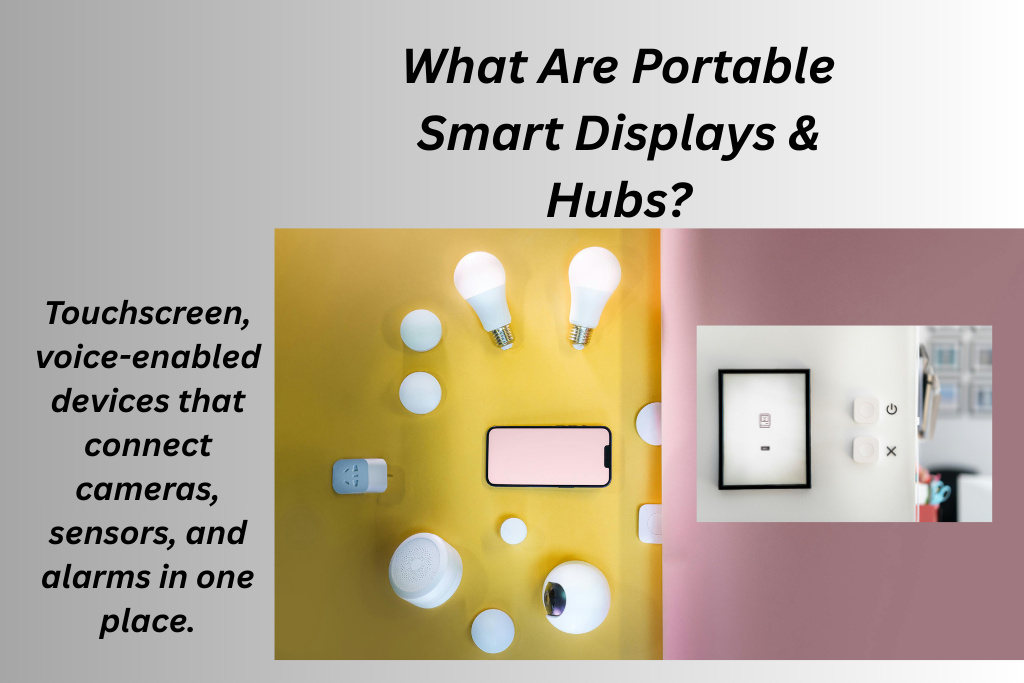
Portable smart displays and hubs are small touchscreen devices. These are voice-activated assistants with screens that act as a command center of your smart security setup. They connect wirelessly to your smart home devices, letting you:
- View live security camera feeds
- Get instant alerts from alarms and sensors
- Talk through built-in speakers and microphones
- Control connected devices with voice or touch
- Check status without opening a phone app
Portable smart displays are not like traditional security keypads. Traditional keypads are fixed to walls. On the contrary, portable smart displays can be moved throughout the home. You can also place them wherever you want a clear view. Portable smart displays and hubs elevate your home security in several meaningful ways. For example:
- They give you centralized control. You don’t need to switch between apps on your smartphone. With this device, you get one screen that shows you every smart security alert in one place.
- You get real-time visual feedback. Whenever a sensor is triggered, the display screen instantly shows what’s happening through a live camera feed.
- Devices like Amazon Echo Show or Google Nest Hub let you use voice control integration. This makes security management effortless, especially for elderly or mobility-limited users.
You can use voice commands like:
“Show front door camera.”
“Arm the alarm system.”
“Turn on outdoor lights.”
- Many portable displays offer smart automation. They work with routines and schedules. For example
Automatically turn on porch lights at sunset
Arm cameras when you leave home
Notify you if a window sensor detects activity
Common Features to Look For
When choosing a portable smart display or hub for security, here are the key features that matter:
- Your portable smart displays and hubs must have a touchscreen interface. This allows faster viewing and tapping through notifications. This feature makes smart displays more intuitive than phone apps.
- They must offer voice assistant integration for hands-free control.
- Connects seamlessly with indoor and outdoor security cameras you already own.
- Shows alerts visually and audibly when a sensor is triggered.
- Syncs with your phone so you can access security feeds on the go, not just at home.
Which are the Top use Cases of Smart Displays and Hubs for Security
Busy Households
Portable smart displays help families keep an eye on who’s at the door. They can monitor kids’ rooms, and control security without interrupting daily routines.
Renters
Easy wireless setup means you don’t need approvals or drilling. You can take your device when you move.
Home Offices
Instant access to cameras and alerts from your work desk improves awareness without distraction.
Elderly Living Alone
Voice commands and a visible dashboard help make security management effortless, even for those unfamiliar with apps.
Popular Devices in 2026
While specific products continue to evolve, the most popular smart displays and hubs for security monitoring generally fall into these categories:
| Voice and Display Devices | Such as Amazon Echo Show or Google Nest Hub | Combines voice control with a touchscreen. These are perfect for viewing cameras and alerts |
| Dedicated Smart Home Hubs | Like Samsung SmartThings | Works behind the scenes to connect sensors, cameras, and lights. They lock them all into one ecosystem |
| Portable Security Monitors | Smaller and dedicated displays | These are designed specifically for video feeds and alarm status |
Each category fills a unique role depending on whether your priority is camera viewing, device control, or centralized automation.
Benefits for Security-Focused Homes
Portable smart displays and hubs don’t just make security easier, they make it smarter. Key advantages include:
- Fewer apps to juggle
- Instant visual verification
- Hands-free control with voice assistants
- Greater situational awareness
- Easier monitoring for all family members
They help turn passive devices like cameras and sensors into a coordinated, responsive system.
Top 5 Portable Smart Displays and Hubs for Security Monitoring
The device you choose must support your security cameras. The best options are:
1. Eufy Smart Display E10
It is the best dedicated security display. The Eufy Smart Display E10 is designed specifically as a security panel. It comes in 8 inches touchscreen and shows up to four live camera feeds at once. It wakes automatically when motion or doorbell activity is detected. It is best for users who have heavily invested in the Eufy ecosystem. It gives them a dedicated security touchscreen hub rather than a general smart display. It offers
- Built-in battery that lets you place it anywhere without constantly plugging in.
- Local monitoring and works with Eufy cameras and doorbells. Gives you instant alerts and live views without cloud reliance.
2. Amazon Echo Show (Echo Show 8 or 10)
Go for the Amazon Echo Show if you are looking for the best all-around smart security Hub. Echo Show devices combine a responsive touchscreen with Alexa to show live feeds from compatible cams. You can control it through voice command or tapping. It is best for users who want security plus general smart home control.
Amazon Echo Show offers:
- Smart hub functionality acts as a central controller for smart devices. Along with that, it also enables camera monitoring.
- Smaller models like the Echo Show 8 have a balanced screen size and countertop placement. While the Echo Show 10 adds a larger, more versatile display.
3. EZVIZ SD7 Smart Screen
The EZVIZ SD7 features plug-and-play functionality and intuitive navigation. It is the best compact security touchscreen for cameras. SD7 smart screen is best for people focused on camera live views and device status without needing full smart home ecosystem support. Its dedicated touchscreen provides dashboards with live video and status of cameras in one place. It offers
- Easy setup and works well if you already use EZVIZ cameras.
- Sleek and compact design that makes it suitable for desks, entrances, or small spaces.
4. Google Nest Hub Max
It works seamlessly with Google Assistant and integrates with many smart security cameras. Google Nest Hub Max offers integration with compatible brands. You can see camera feeds on screen with voice commands or touch. It is the best option if you are deep in the Google ecosystem or use Nest cams. Google Nest Hub Max is a good choice for users who want Google Assistant’s voice control plus broad device compatibility. It offers
- The built-in camera supports features like face recognition and auto-framing.
- Larger 10″ touchscreen makes viewing live feeds easier from across a room.
- Also doubles as a smart home hub for lights, sensors, locks, and more.
| Device | Screen Size | Ecosystem | Security Monitoring |
| Eufy Smart Display E10 | 8” | Eufy | Security focused |
| Amazon Echo Show (8/10/11) | 8-12” | Alexa | Good Support |
| EZVIZ SD7 Smart Screen | 7” | EZVIZ | Camera Dashboard |
| Google Nest Hub Max | 10” | Broad Camera Support |
Conclusion
Portable smart displays and hubs for security monitoring make your life more convenient. However, for maximum outcome, choose wisely. If you are looking for bigger screens, then Nest Hub Max is a better option. It makes viewing multiple cameras easier. Alexa and Google Assistant help with hands-free camera view requests and automations. Go for Eufy E10 or EZVIZ SD7 if your priority is security monitoring only.


You May Also Like
Best Affordable Rental Security Systems
How Smart Plugs for Simulating Occupancy Can Keep Your Rental Secure?