Can Alexa be Used as a Doorbell? (What Renters & Homeowners Need to Know)
Did you notice that Alexa is becoming common? Many people are already using and more are turning to it. From voice commands to making calls, Alexa is managing your home smartly. This naturally leads to a question like: What can you take more out of Alexa? Or can Alexa be used as a doorbell?
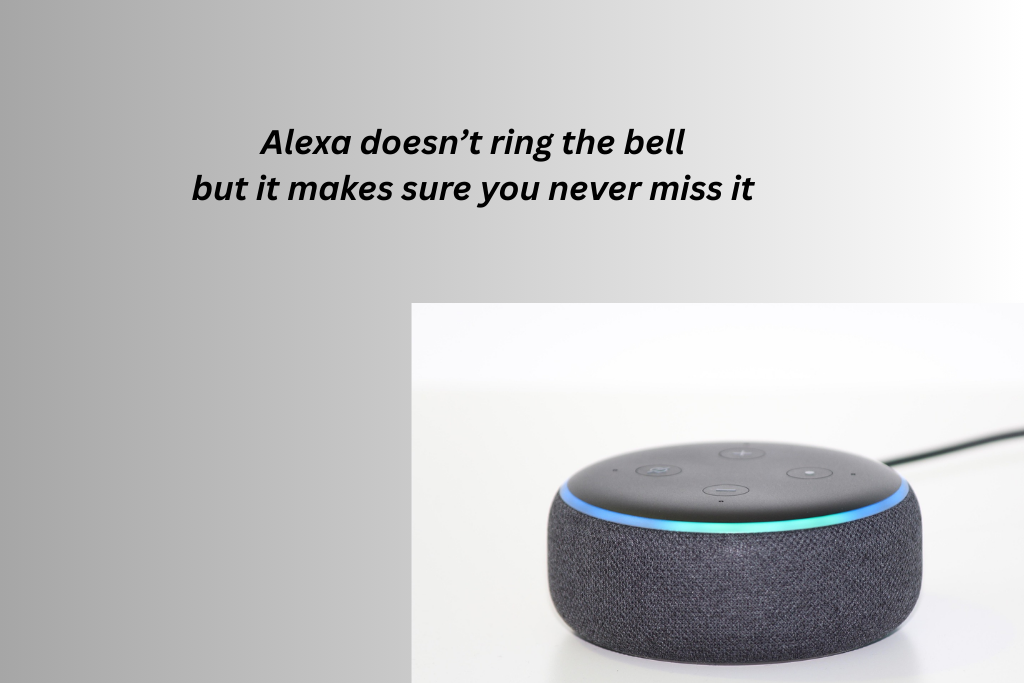
The short answer is yes, Alexa can be used as a doorbell. However, it cannot replace the doorbell, nor can it be used as a doorbell on its own. But it can work with smart doorbells to create a more convenient and connected entryway experience. Let’s break it down in simple terms.
Can Alexa Work as a Doorbell by Itself?
Alexa devices include:
- Echo Dot
- Echo Show
- Echo Speakers
They do not have a doorbell button and none of them function asa standalone doorbell. Alexa cannot detect someone at your door unless another smart device triggers them. However, Alexa becomes very useful when paired with a compatible smart doorbell.
How Alexa Works With a Smart Doorbell
When connected to a smart doorbell, Alexa acts as a notification and control hub. Here’s how the setup typically works:
- Someone presses your smart doorbell
- Alexa announces the visitor on your Echo devices
- You receive alerts on your phone
- On Echo Show devices, you can see a live video feed
- You can talk to visitors using voice commands
In this setup, the doorbell handles detection and video, while Alexa handles alerts, voice control, and convenience.
What Alexa Can Do as Part of a Doorbell System
When paired with a compatible smart doorbell, Alexa can:
- Announce, “Someone is at the front door.”
- Show live doorbell video on Echo Show screens
- Enable two-way communication with visitors
- Answer the door remotely using a voice command
- Alerts you when motion is detected near your door
This is especially useful if your phone isn’t nearby or you’re in another room.
Is Alexa Useful as a Doorbell for Renters?
Yes, very useful, especially for renters. Many renters choose smart doorbells because they want added security without the need for permanent installation. Alexa enhances this by:
- Announcing visitors across the apartment
- Reducing the need to check your phone constantly
- Helping manage deliveries in shared buildings
- Allowing hands-free interaction with visitors
If you already own an Echo device, adding a compatible smart doorbell gives you extra value without buying a full security system.
Alexa Doorbell Announcements vs Traditional Chimes
One major benefit of using Alexa with a doorbell is custom announcements.
Unlike traditional chimes:
- Alexa announcements are louder and clearer
- You can hear them in multiple rooms
- You can customize alert tones and volume
- Echo Shows add visual confirmation
This is ideal for larger homes, apartments with thick walls, or noisy environments.
Limitations of Using Alexa as a Doorbell
While Alexa adds convenience, there are some limitations:
- Alexa can’t replace a doorbell entirely
- Requires a compatible smart doorbell
- Some advanced features depend on subscriptions
- An internet connection is required
Alexa works best as a support system, not the main device.
Alexa Doorbell Setup Guide (Step-by-Step)
Using Alexa with a smart doorbell allows you to hear doorbell announcements. You can talk to visitors hands-free and even see live video on Echo Show devices. Follow this guide to set everything up correctly.
What You Need Before You Start
Make sure you have:
- A smart doorbell that supports Alexa
- An Amazon Echo device (Echo Dot, Echo, or Echo Show)
- The Amazon Alexa app is installed on your phone
- The doorbell’s companion app is installed
- Stable Wi-Fi connection
Step 1: Install and Power On Your Smart Doorbell
First, set up your smart doorbell using its own app, not Alexa. Do not skip this step. Alexa won’t recognize the doorbell unless it’s fully set up first.
- Mount the doorbell at your front door
- Power it on (battery or wired)
- Open the doorbell’s app
- Connect it to your Wi-Fi network
- Confirm live video and alerts are working
Step 2: Open the Amazon Alexa App
- Open the Alexa app on your phone
- Sign in using your Amazon account
- Make sure your Echo devices are already set up and online
Step 3: Enable the Doorbell Skill in Alexa
Most smart doorbells require a skill to connect with Alexa.
- In the Alexa app, tap More
- Select Skills and Games
- Search for your doorbell brand
- Tap Enable
- Sign in using your Doorbell app account
Once linked, Alexa can access your doorbell.
Step 4: Discover the Doorbell Device
After enabling the skill:
- Alexa will automatically search for new devices
- If not, tap Devices, then go to Add Device, then click on Other, gp to Discover Devices
Wait a few seconds, your doorbell should appear in the list.
Step 5: Turn On Doorbell Announcements
This is the most important step.
- Go to Devices
- Then click on Cameras
- Select your doorbell
- Tap Settings
- Turn on Doorbell Press Announcements
Now, when someone rings the bell, Alexa will announce it on your Echo devices.
Step 6: Choose Which Echo Devices Announce the Doorbell
You can control where you hear alerts.
- In the doorbell settings, choose Announcement Devices
- Select Echo devices in:
- Living room
- Bedroom
- Kitchen
This is especially useful for large homes or apartments.
Step 7: Set Up Live View on Echo Show (Optional)
If you have an Echo Show, you can view visitors.
- Say:
“Alexa, show the front door.” - Or enable Auto Live View (if supported)
This allows the video to appear automatically when the doorbell rings.
Step 8: Test Your Alexa Doorbell Setup
Press the doorbell button and check:
- Alexa announces the visitor
- Your phone receives alerts
- Echo Show displays live video (if available)
- Two-way audio works properly
If anything doesn’t work, restart the apps and retry device discovery.
Common Alexa Doorbell Setup Problems (Quick Fixes)
Alexa doesn’t announce the doorbell
- Check announcements are turned ON
- Make sure Echo devices are not muted
Doorbell not showing in Alexa
- Re-enable the skill
- Run device discovery again
Video not showing on the Echo Show
- Confirm the doorbell supports live video with Alexa
- Check Wi-Fi strength
Conclusion
For both renters and homeowners, Alexa adds smarter control. It makes your doorbell experience feel more modern and connected. However, Alexa cannot act as a doorbell on its own, but it works extremely well as part of a smart doorbell system. If you pair Alexa with a compatible smart doorbell, you get:
Optional video viewing
Hands-free visitor alerts
Voice control
Whole-home notifications


You May Also Like
How to Comply with Lease Rules When Installing Smart Doorbells?

Ring Vs Reolink Doorbell: Which is Better?