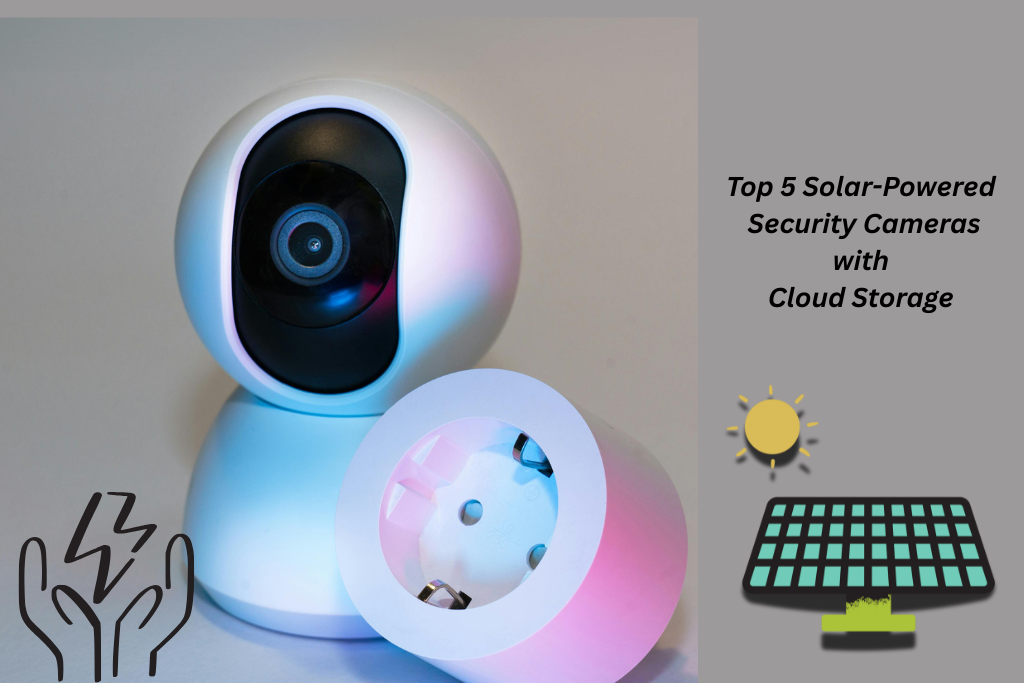
Top 5 Solar-Powered Security Cameras with Cloud Storage
As a security gadget expert, I have seen the rental market evolving firsthand. I can tell you that this new generation of consumers isn’t chasing fancy specs. Renters now want freedom, flexibility, and full control. Gone are the days of tangled cables and landlord permissions. The shift is clear. And that’s exactly what this guide is about. Unlike any other generic “Top 5 Cameras” list, we took a deep dive into what truly makes a solar-powered camera cloud smart. It includes everything from its energy logic and data encryption to real-world reliability when Wi-Fi drops or the sun hides.
If you’re ready to discover how solar and smart cloud tech are rewriting the rules of home protection, let’s get into the devices leading this quiet revolution.
The Power‑Cloud Connection: Why It’s a Game‑Changer
When we talk about renter-friendly home security, two trends are converging. One is solar autonomy, and the other is cloud connectivity. The result is redefining how we protect ur spaces.
Energy independence meets remote access
- Solar‑powered cameras allow devices to run without being plugged into mains power. You also don’t need to be tethered to wiring. That means fewer holes drilled in walls, fewer landlord permissions, and fewer constraints.
- Cloud‑enabled cameras, on the other hand, make those devices accessible anytime, anywhere. You can enjoy live view, motion alerts, and recorded footage, all visible on your phone, no local DVR required.
How does the solar and cloud combo solve rental pain points?
- No local storage means you don’t have to worry about lost footage. If the camera is tampered with or physically removed, your footage will be saved.
- No constant charging or battery swap. It means that the system stays live even when you’re travelling or when the sun is low for a few days.
- And since cloud footage can be accessed remotely, your security system stays with you.
Market momentum
- The global solar-powered security camera market was valued at approximately USD 1.62 billion in 2024. The estimate was projected CAGR of around 14.7% from 2025 to 2033.
- Meanwhile, the broader smart home security camera market is expected to grow from about USD 10.51 billion in 2024 to nearly USD 61.0 billion by 2034 (CAGR ~19.2%).
- Specifically, the “cloud camera” market (cameras whose footage streams and stores via the cloud) is estimated at USD 17.6 million in 2025 and expected to reach USD 44.9 million by 2032.
Solar Efficiency Deep Dive: What Powers Continuous Cloud Recording
Let’s understand what drives an uninterrupted cloud recording in solar-powered security cameras. Here’s a breakdown of what you need to know from solar panel specs to cloud upload energy drain.
Solar And Battery Fundamentals to Check
| Solar Watt Rating | It is the maximum power of a solar panel that is produced under peak sunlight. A higher-watt rating gives more margin for cloudy days. It also offers less-optimal panel placement. |
| Battery Capacity | It is measured in watt-hours (Wh) or ampere-hours (Ah). If the panel’s battery is larger it will keep the camera running longer during low sunlight. |
| Charging Rate | How fast the panel and battery combo replenishes the system is called the charging rate. If your setup uses 5 W average load but the panel only supplies 2 W most of the day, you’ll drain the battery over time. |
| Power Draw During Recording and Uploading | When idle of sleeping, the camera draws 2-5 watts. During motion detection, video capture, and cloud upload, the draw significantly increases to 5-10 watts. |
Cloud syncing is the hidden energy cost
When your solar camera isn’t just recording to a local micro‑SD card but uploading to the cloud, the energy usage rises. That’s because:
- The WiFi/communication module remains active or “awake” more often.
- The video stream needs to be encoded and sent; both tasks take more power.
- If the camera uses AI‑based analytics (object detection, smart zones) before uploading, that’s also additional processing. Research in IoT shows that data‑intensive tasks greatly increase power consumption.
Top 5 Solar-Powered Security Cameras with Cloud Storage
We researched the top solar-powered security cameras with cloud storage. Here are the 5 suggestions that work for renters. You can choose the one according to your budget and requirements.
Reolink Argus 3 Pro
The Reolink Argus 3 Pro is one of the best choices for renters. It runs on a rechargeable battery and pairs seamlessly with the Reolink Solar Panel. Renters can mount it using removable mounts or adhesive brackets. This makes the setup completely landlord-friendly. The camera offers premium 2K clarity and flexible local or cloud storage.
Key Features
- 2K Super HD Video offers crisp details.
- Battery-powered and Wi-Fi connected, making it 100% wire-free.
- The optional Reolink Solar Panel keeps the camera charged.
- Smart detection reduces false alerts from animals and random motion.
- Color Night Vision offers a built-in spotlight with bright nighttime visibility.
- Dual Storage Options allow you to save footage through a local microSD card or Reolink Cloud.
- Two-Way Audio to hear and talk through the camera by using the Reolink app.
Pros
- Excellent 2K video quality for sharp footage
- Fully wire-free and easy installation
- Solar charging extends battery life and reduces maintenance
- Smart motion detection minimizes unnecessary alerts
- Affordable with free local storage and optional cloud backup
- Portable and easy to take with you when moving
Cons
- Requires a strong Wi-Fi signal for optimal performance
- Spotlight brightness is solid but not as powerful as some premium models
- No continuous 24/7 recording; event-based only
- Cloud storage requires a subscription for an extended history
Reolink Argus 4 Pro
The Reolink Argus 4 Pro is an excellent pick for renters who want maximum coverage. It has a dual lens 4K camera to offer a 180° field of view. You can cover more area without installing multiple cameras. It is compelety wire-free and pairs with Reolink Solar panel. So renters can enjoy premium security without drilling, wiring, or making permanent property changes.
Key Features
- Dual-Lens 4K Ultra HD Video produces a panoramic 180° image with exceptional clarity.
- 180° Field of View covers wider outdoor or indoor spaces with a single camera.
- Wire-Free Battery Design with no cables, drilling, or complex installation required.
- Color Night Vision and IR LEDs for clear nighttime footage with natural detail.
- Advanced Detection to reduce false notifications.
- Local and Cloud Storage supports microSD cards and Reolink Cloud for flexible backup.
- Two-Way Audio to communicate through the camera in real time.
Pros
- Stunning 4K dual-lens video producing an ultra-wide panoramic view
- Replaces multiple cameras thanks to 180° coverage
- Wire-free and solar-powered setup perfect for renters
- Reliable AI detection for people and vehicles
- Multiple storage options, including cloud backup
Cons
- Higher price point than single-lens models
- Smooth panoramic video requires strong Wi-Fi
- Heavier than standard single-lens cameras
- No 24/7 continuous recording (event-based only)
Arlo Pro 4 + Solar Panel
The Arlo Pro 4 paired with the Arlo solar panel is a strong option for renters. It provides premium and high-resolution home security without the hassle of wiring or drilling. The camera connects directly to Wi-Fi. Installation is also quick and damage-free, making it perfect for renters.
Key Features
- Arlo Secure Cloud Support: Offers video history, smart alerts, and advanced detection.
- No base station required, ideal for rental homes or apartments.
- 2K HDR Video Quality offers harp footage with enhanced clarity and better contrast.
- Smart Motion Detection, detects people, vehicles, animals, and packages.
- Weather-Resistant (IP65) and is suitable for outdoor installation in various climates.
- Flexible, No-Drill Mounting Options: Ideal for renters requiring temporary setups.
Pros
- Crisp 2K HDR video quality with strong detail
- Solar charging reduces maintenance and battery swaps
- Works without a hub, simple, renter-friendly setup
- Robust Arlo Secure features and cloud storage options
- Portable and easy to relocate when changing rentals
- Smart detection reduces unnecessary notifications
Cons
- Many advanced features require an Arlo Secure subscription
- Higher price point than some budget competitors
- Needs reliable Wi-Fi for best performance
- No local storage unless used with a base station (sold separately)
Ring Stick Up Cam Solar
The Ring Stick Up Cam Solar is a great fit for renters who want simple and reliable home security without any wiring hassle. The camera stays powered continuously using sunlight and removes any need for battery swaps. With that setup, renters can easily manage it from the Ring app and access recordings through Ring Protect cloud storage.
Key Features
- Solar-Powered Operation keeps the battery charged with sunlight.
- 1080p HD for clear and reliable footage for everyday monitoring.
- Wire-free installation makes it ideal for rental spaces.
- Ring Protect Cloud Support offers an optional subscription for recorded video history.
- Motion Detection Alerts sends notifications when activity is detected.
- Works with Alexa for live view and alerts.
Pros
- Completely wire-free and solar-powered, excellent for renters
- Integrates smoothly with the Ring ecosystem
- Simple, non-permanent installation
- Reliable app experience and motion alerts
- Cloud storage and smart features via Ring Protect
- Easy to pack up and bring to a new rental
Cons
- Full features require a Ring Protect subscription
- No local storage option
- 1080p video is good, but not as sharp as 2K or 4K competitors
- Works best within the Ring ecosystem is less flexible with other brands
Wyze Solar Cam Pan
The Wyze Solar Cam Pan is a smart, affordable pick for renters who want wide-area coverage. Its 2K pan-tilt camera gives you the flexibility to look around your surroundings remotely. You can cover multiple angles with a single device. When moving out, just detach the camera and take your portable, solar-powered security system with you.
Key Features
- 2K Resolution delivers sharper, clearer video with improved detail.
- Pan–Tilt Function lets you scan large areas from the app.
- Integrated Solar Panel and no extra accessories needed.
- Smart Motion Tracking automatically follows movement in view.
- Night Vision for clear nighttime footage using infrared LEDs.
- Wyze Cam Plus / Cam Unlimited Cloud Storage offers access to extended video history and smart detections.
Pros
- Full 360° coverage thanks to pan-tilt capabilities
- Built-in solar panel makes it fully wire-free and maintenance-light
- Very budget-friendly compared to most pan-tilt solar cameras
- Integrates well with Wyze cloud plans for smart detection and storage
- Ideal for renters who need non-permanent installation
Cons
- Requires a subscription for advanced features
- No local storage options for event recording
- Pan-tilt motors create slight noise during movement
- Works best within the Wyze ecosystem and is less flexible with third-party systems
Maintenance and Optimization Tips for Long-Term Performance
Even the most advanced solar-powered cameras require some care. These practical maintenance strategies ensure consistent charging and maximum lifespan.
- Dust, pollen, bird droppings, and pollution can reduce solar efficiency by 20-30%. Monthly wiping with a soft cloth or brush keeps the panels absorbing maximum sunlight.
- Solar angles change with the seasons. Adjust panel tilt or rotation to achieve optimal sunlight during the winter months. You should also do it when daylight hours are reduced. Even a 10-15° adjustment can significantly improve charging performance.
- Ensure the cameras have a clear line of sight to your router. Avoid thick walls or reflective surfaces that may block the signal.
- Many cloud platforms provide upload latency stats, downtime logs, and battery alerts. Spikes in latency or failed uploads often indicate insufficient solar charging, low battery, or Wi-Fi instability, giving you actionable data before security gaps appear.
Conclusion
Solar-powered security cameras are becoming the new rental normal. Consider your requirements and budget before buying your selected cameras.
FAQs
Do security cameras need cloud storage?
Security cameras usually offer local storage like SD cards or NVRs. That’s why they don’t need cloud storage. But with cloud storage, you can have remote access to the recordings. You may also enjoy more storage options.
How much sun does a solar-powered camera need?
A solar-powered camera needs 2-4 hours of peak sunlight to charge its batteries. It also enable batteries to operate 24/7.
Do solar-powered cameras need internet?
Solar-powered cameras don’t always need internet. Some of these cameras use 4G/LTE networks or store footage on local SD cards.


You May Also Like
Smart Air Quality Devices with Remote Access (Gadgets That Renters Love)
Do Burglars Avoid Houses with Ring Doorbells?